

Slack Consulting, Implementation & Salesforce Integration
Bring your people, conversations and Salesforce workflows together in Slack. Whether you’re new to Slack or already use it every day, Systep designs your workspace, connects it to Salesforce and sets up the automation and AI that let people find, update and act on customer data without switching tabs.
- Workspace design — channels, permissions and Slack Connect done right
- Salesforce integration — record alerts, deal rooms and actions in Slack
- Workflow automation — requests and approvals in Slack, data in Salesforce
- Migration support — moving from Microsoft Teams or other tools
- Adoption that sticks — training, champions and usage reporting

Book a Slack Consultation
Speak with a certified Salesforce expert about your Salesforce AI strategy. We'll be in touch within 1 business day.
What you'll get
- A review of how your teams communicate and collaborate today
- The Salesforce integrations with the biggest impact
- Workspace and governance recommendations
- Which Slack AI features fit your plan
- A rollout plan and clear next steps


Workspace design
A good Slack workspace is easy to navigate and hard to misuse. We design:
Channel structure and naming conventions
Workspace and organization setup, including Enterprise Grid where needed
Roles, permissions and external sharing with partners and customers (Slack Connect)
Retention and compliance settings
Migration from Microsoft Teams or other tools
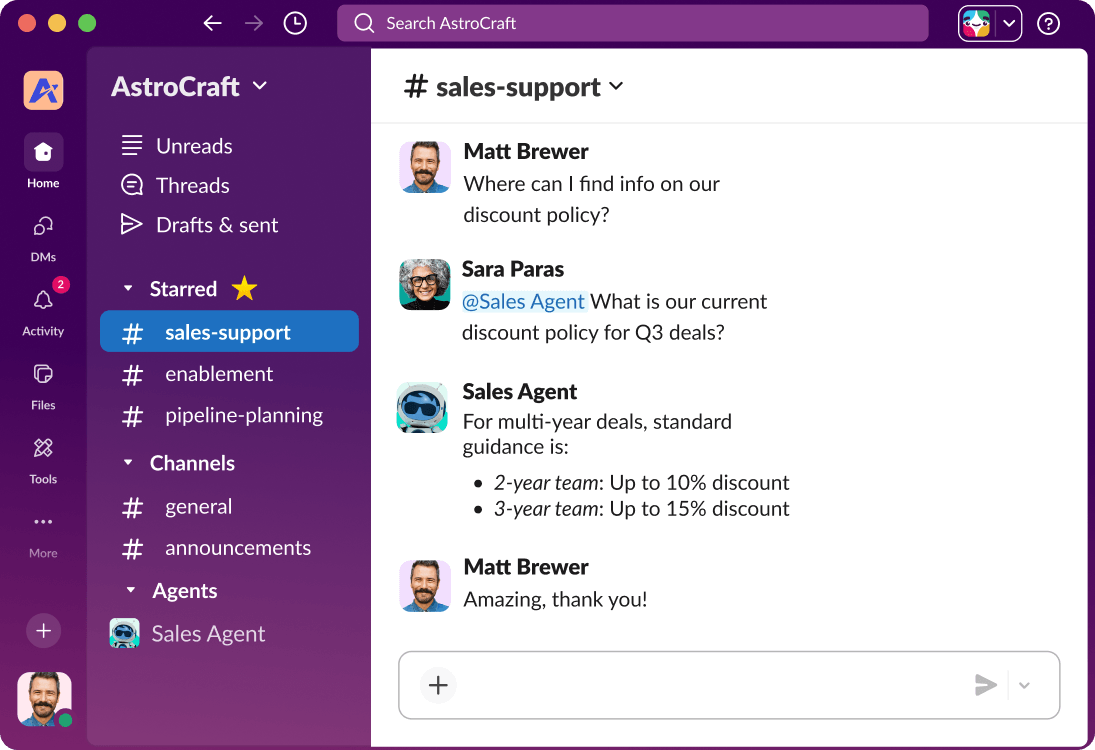
Sales and service collaboration
Bring the right people together around every deal and case, with Salesforce data in view:
Cross-team deals: Sales engineers, legal and leadership work on a deal in one conversation.
Faster approvals: Approve discounts and quotes in Slack, with the decision recorded in Salesforce.
Case swarming: Pull the right experts into complex cases, with full case context.
Closed loop: Resolutions and next steps flow straight back to Salesforce.
Workflow automation
We use Slack Workflow Builder and Salesforce Flow together, so routine work happens in Slack and the data lands in Salesforce:
Requests: Raise and track requests in Slack, instead of across emails and spreadsheets.
Approvals: Route approvals to the right person, with Salesforce updated automatically.
Intake forms: Capture information in Slack and turn it into Salesforce records.
Handoffs: Pass work between teams with full context, so nothing falls through the gaps.
Salesforce integration
Slack and Salesforce are both Salesforce products, and they work best connected. We set up:
Record alerts: Notifications for new leads, big deals, escalations and SLA breaches, sent to the right channel.
Deal rooms: Channels linked to key opportunities, with live Salesforce data in view.
Account channels: One place for everyone working on a customer.
Actions from Slack: View and update Salesforce records without leaving the conversation.
Governance
An app approval and integration policy
Channel lifecycle: creation, naming and archiving
Data retention and legal hold settings
Admin roles and ongoing ownership
Slack AI
Slack has AI built in. Slackbot can summarize channels and threads, find information across your workspace and connected tools, and, through Slackforce, work with Salesforce data. AI agents built with Agentforce can also work in Slack.
Make Slack the place work gets done.
Frequently Asked Questions
-
Yes, including workspace design, migration, integrations and training.
-
No, but most of the value we add comes from connecting the two.
-
Yes. We plan channel mapping, integrations, data migration and change management.
-
It depends on your size, compliance needs and the AI features you want. We review plans and add-ons with you.