

Slackbot & Slackforce Consulting
Bring AI assistance into the flow of work. Slackbot is an AI assistant that can search, summarize and act across Slack and Salesforce. Systep sets up Slackforce securely, so your teams get answers, build live views and update records without leaving the conversation.
- Instant catch-ups — summaries of channels, threads and what changed
- Salesforce in Slack — account briefs, pipeline views and record updates
- Slackforce Surfaces — shareable dashboards and reports, built on request
- Permissions respected — Slackbot shows only what each user can see
- Rolled out properly — pilots, prompt guides and adoption reporting

Talk to a Slack AI Consultant
Speak with a certified Salesforce expert about bringing Slackbot and Salesforce AI into Slack.
What you'll get
- The Slack AI use cases that fit your teams
- A check on your Slack plan and Salesforce connection
- A permissions review plan before rollout
- A pilot plan with role-based prompt guides
- Clear next steps from a Slack AI consultant


Slackbot vs Slackforce
Slackforce is Salesforce's name for Slack as the AI-powered, conversational front end to Salesforce and your other business systems. It covers four things:
Slack CRM: Salesforce data and actions inside Slack.
Slackbot and MCP: An AI assistant that works across Slack, Salesforce and connected tools.
Slackforce Surfaces: Interactive dashboards, reports and briefings that Slackbot creates on request and users can pin and share in a channel.
Slack Code: Building on Slack with AI.
Slackbot is the assistant at the center of it: the AI each person talks to in Slack. Claude is the default model behind it.
AI summaries and information retrieval
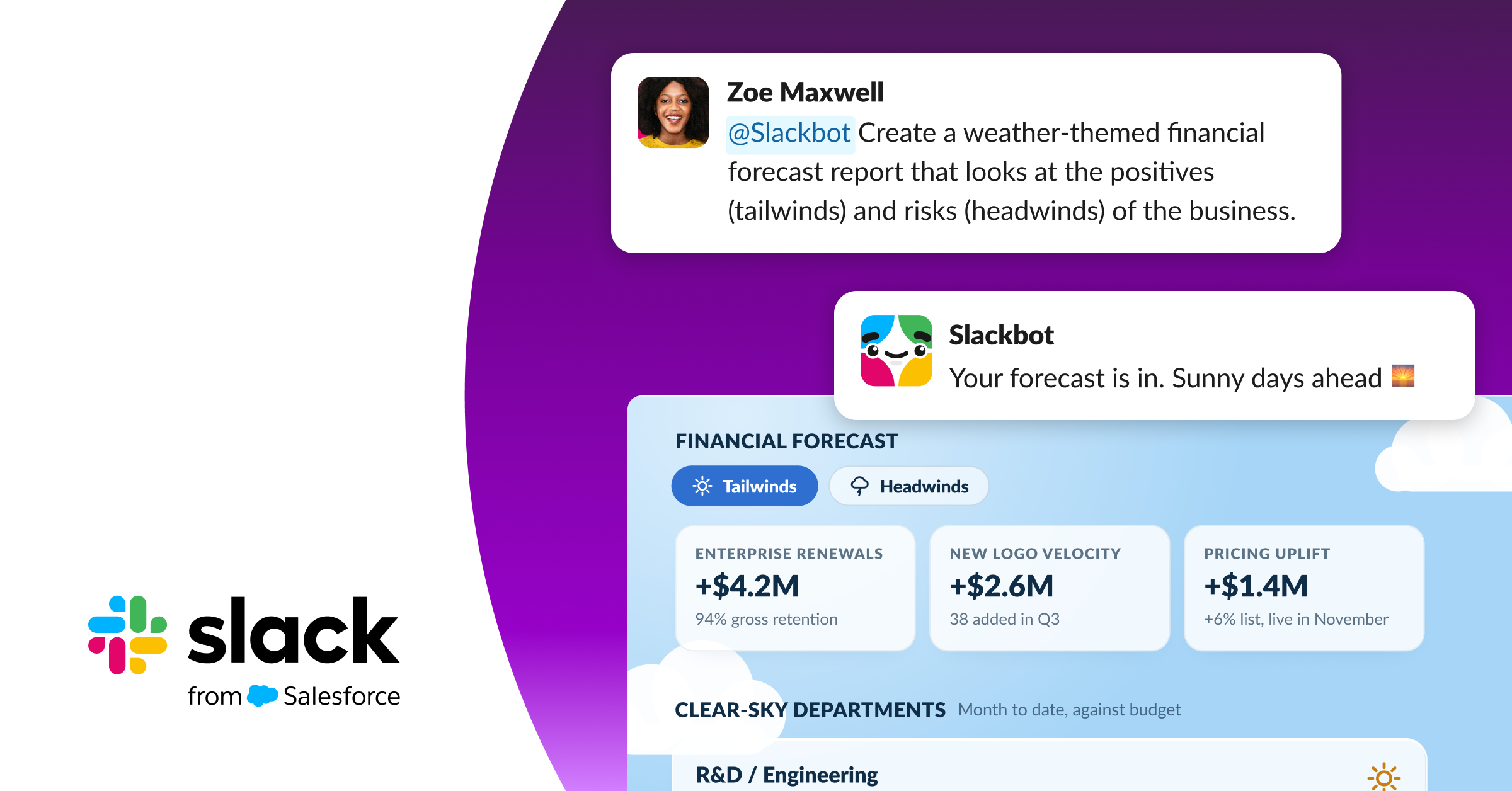
Slackbot brings AI-powered search and summaries to everyone in Slack. Instead of scrolling through busy channels or hunting for files, your teams can ask Slackbot in plain language and get a clear answer in seconds, always within the permissions they already have. With Slack AI, your people can:
Catch up on long channels and threads in seconds.
Ask a question and get an answer drawn from conversations, files and connected tools.
Get a daily recap of what changed in your channels.
Salesforce context
Connect Salesforce to Slack and Slackbot becomes a conversational front end to your CRM. Your teams can check deals, review accounts and update records in plain language without opening Salesforce, and every answer respects their Salesforce permissions. For example, they can ask:
"What's the status of the Acme renewal, and who's working on it?"
"Show me a pipeline view for my team this quarter." Slackbot builds it as a Surface you can share.
"Log these call notes against the opportunity and set the next step."
"Which of my accounts have open high-priority cases?"
Use cases
Slackbot and Slack AI help every team get more done without leaving Slack. With Salesforce connected, the same assistant can brief a salesperson, support a service agent and give leaders an instant view of the business. Here's how different teams use it:
-
Sales
What Slack AI does
- Account briefs
- Pipeline views
- Call note logging
- Deal-room summaries
-
Service
What Slack AI does
- Case context
- Swarm summaries
- Knowledge answers
-
Leadership
What Slack AI does
- On-request dashboards
- Weekly summaries without opening reports
-
Operations
What Slack AI does
- Answers to policy and process questions
- Request intake
-
Nonprofits
What Slack AI does
- Prospect research for gift officers
- Program team coordination
Access controls
Slackbot works within each user's existing permissions in Slack and Salesforce. If someone can't see a record in Salesforce, Slackbot won't show it to them, and it only draws on the channels, messages and files that person can already access. That makes your current access settings more important than ever, so before rollout we review:
Salesforce sharing: Profiles, permission sets, sharing rules and field-level security, so sensitive records stay protected.
Slack access: Private channels, guest accounts and Slack Connect channels shared with external partners.
Connected apps: Which apps and tools Slackbot can draw on, and who has approved them.
Write-back rules: Which actions can update Salesforce from Slack, and which stay read-only.
We document every decision, so your IT and security teams have a clear record of what Slackbot can see and do.
How we deliver
Our Slackbot and Slackforce implementation follows a clear, four-step approach. We start small with a pilot team, prove the value of Slack AI and Salesforce together, then roll out across your organization with the training and governance to make it stick.
-
Assess
- Slack plan
- Salesforce org
- Permissions and use cases
-
Configure
- The Salesforce connection
- Slackbot settings
- Approved tools
-
Pilot
- One or two teams
- Role-based prompt guides
-
Roll out
- Training
- Champions
- Usage reporting
Put AI where your teams already work.
Frequently Asked Questions
-
It is Salesforce's name for Slack as an AI-powered front end to Salesforce. It covers Slack CRM, Slackbot with MCP, Surfaces and Slack Code.
-
No. Slackbot is everyone's personal AI assistant. Agentforce agents are built for specific jobs and can also work in Slack.
-
AI features depend on your Slack plan and add-ons. We check entitlements in the assessment.
-
Yes, if you allow it. We agree which actions can write back to Salesforce before rollout, and start read-only where that makes sense.